
 Best Sellers
 Office Chairs under $299
 Ergonomic Chairs
 Executive Chairs
 Eames Replica Chairs
 Specialist Chairs & Stools
 Meeting Room & Visitor Chairs
 Gaming Chairs
 Bar Stools
 Cafe & Lunch Room Seating
 Reception Seating
 Soft Seating
 Booth Seating
 Ottomans/Modular Seating
 Training & Conference Chairs
 Best Sellers
 Standing Desks
 Office Desks
 Straight Desks
 Shared Desks
 Corner Desks
 Reception Desks
 Credenzas
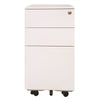 Mobile Drawers
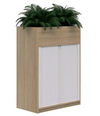 Tambours
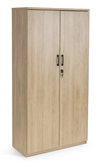 Cupboards & Bookshelves
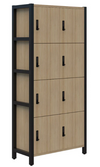 Filing Cabinets & Lockers
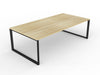 Boardroom & Meeting Room Tables
 Bar Leaners
 Café & Lunch Room Tables
 Flip Tables
 Coffee Tables
 Desk Partitions
 Partitions
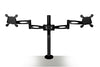 Monitor Arms
 Mats & Footrests
 Technology
 Desk Accessories
 Office Accessories
 White Boards
 Glassboards
 Flip Charts & Easels
 Outdoor Seating
 Outdoor Leaners
 Sun Loungers
 Acoustic Desk Accessories
 Ceiling & Wall Acoustics
 Freestanding Acoustics
 Acoustic Pods

Monitor Arms: The Ultimate Guide to Ergonomics & Desk Space
Modern desk work asks a lot of the body, yet many setups still rely on a fixed stand. A monitor arm changes that balance by letting the screen move with you, not against you. With the right choice, posture improves, and desk space opens up.
This blog breaks down the choices in a practical way and keeps the focus on comfort, safety, and value. A good monitor arm is not only a tidy upgrade, but it also helps sustain energy through long sessions. You will see clear differences between single and twin-screen options, plus advice on fit, mounting, and lifespan.
Why Adjustable Screens Matter
Screens that adjust make a real difference to comfort. Your head weighs about the same as a bowling ball, and your neck manages it well when you sit upright. When you lean forward even a little, the strain grows fast, which is why a monitor arm helps keep the screen at eye height and the right distance.
Desk space improves, too, when the screen lifts off the surface. Most fixed stands take up room, crowd your keyboard, and leave cables in the way. With the base gone, the desk feels clearer and easier to organise around how you work.

Compare Single And Dual Monitor Arms
Picking between a single and a dual setup depends on how you work each day. One option suits focused work on one screen, while the other helps if two screens stay active side by side.
Single Monitor Arm Benefits
A monitor arm for one screen suits people who focus on one core task at a time. It also makes sense if you use a very wide monitor, since an ultra-wide display already replaces a two-screen spread. The single option costs less, fits almost any desk, and keeps cable management straightforward.
Single arms are a great match for:
-
Writers, designers, and project managers who live in one main window.
-
Home offices where desk depth is limited.
-
Ultra-wide monitors that need firm support.
-
People who want tidy minimal setups.
A single arm still allows plenty of movement. You can rotate to portrait for reading or coding, tilt to reduce glare, and slide the height up or down for a perfect line of sight.
Dual Monitor Arm Advantages
A dual monitor arm is for people who compare, cross-check, or reference two sources all day. Think of accountants who switch between spreadsheets, developers who code on one screen while checking logs on the other, or analysts who track dashboards and messages side by side. The second screen reduces constant window switching. That can support focus, because your brain does less context jumping.
Dual setups work best when:
-
You regularly compare documents or numbers.
-
You monitor messages or dashboards while doing deep work.
-
You share a desk for hot desking and want fast adjustment.
-
Your desk has enough width to keep both screens centred.
One practical tip: if you go dual, try to match screen size and weight. Mixed monitors can work, but balancing them is harder and may limit movement.
Installation Choices For Any Desk
Most desks suit a monitor arm if you pick the right mount. The two common options are clamp and grommet, and each works well in the right setting.
Option A: The C Clamp Mount
Clamp mounting suits quick installs and workspaces where layouts shift. Fit takes minutes and needs only a hex key.
-
No Drilling: No holes are needed in the desk surface. Desk finish stays intact, and resale value remains higher.
-
Fast Desk Changes: Fitting and removal happen quickly during moves or refits. Shared offices benefit because one arm can shift between desks with little effort.
-
Edge Overhang Needed: Desk edge must allow the clamp plate to sit flat underneath. Desks flush to a wall or with boxed edges may limit use.
-
Clearance Checks: Rear cable trays or privacy panels can block the clamp depth. Measure the rear gap before buying to avoid a poor fit.
-
Thin Desk Support: Very thin tops may flex under clamp pressure. The support plate spreads the load and reduces wobble.
Option B: The Grommet Mount
Grommet mounting suits permanent setups and heavier screens. Installation uses a cable hole or a drilled opening for a clean anchor.
-
High Stability: The bolt through the desk creates firm support with low movement. Heavy monitors feel more secure during daily adjustments.
-
Clean Desk Edge: Hardware sits away from the back edge, leaving a tidy finish. Client-facing areas look neater with less visible metalwork.
-
Uses Cable Port: Existing cable holes often match grommet needs. Setup stays simple when a desk already includes a port.
-
Drilling May Be Required: Desks without a hole need one drilled in the right spot. Drilling makes sense only when the workstation will stay put.
-
Harder to Relocate: Moving desks later takes more effort because the bolt passes through the surface. Planning the position early avoids repeated work.

Vesa Compatibility And Monitor Fit
People often want to know if their screen will work with a monitor arm. In most cases, it will, but you need to confirm the mounting points first.
Look at the back of your screen. If you see four screw holes in a square pattern, your monitor uses a VESA mount. The common standards are 75 x 75 mm and 100 x 100 mm. Arms usually support both sizes, so fitting is quick once you confirm the holes.
If your monitor has no holes, you still may have options. Slim screens, some Apple models, and certain all-in-one units often skip VESA. In that case, you need a VESA adapter that attaches to the bezel or the rear shell. Adapters vary by brand, so measure carefully and look for a model that matches your screen's shape.
Before you buy, take note of:
-
VESA size on your monitor.
-
Screen weight without the stand.
-
Screen width if you plan a dual bar.
-
Port location, so cables do not bend too sharply.
This short check saves time and avoids returns.
How Much Weight Can Arms Hold?
Weight capacity sits at the centre of safe use. A good arm should hold more load than required, yet staying inside the rated range matters. Most single arms support roughly 8 to 12 kg per screen, while dual arms list capacity per screen rather than combined total, so specs need close reading.
If screen weight sits near the top end, choose a stronger model. A unit running at full load each day can sag over time, which reduces ergonomics and increases joint stress. Keeping weight comfortably under the limit protects smooth movement and long-term reliability.
Durability: What is the Lifespan of a Monitor Arm?
Good durability keeps your screen steady year after year. How long an arm lasts depends on its mechanism and the way you use it.
Gas Spring Arm Lifespan
Gas spring models use a sealed cylinder that counterbalances the screen. Smooth and light movement supports quick height changes with minimal effort. Shared workstations benefit because each user can reach a comfortable viewing level without tools.
Under normal office use, a gas spring arm often lasts about five to eight years. Heavy daily adjustment, near limit screen weights, or dusty rooms can reduce that span. Early wear often appears as slow sagging, where the screen no longer holds a chosen height.
Mechanical Or Post Arm Lifespan
Mechanical or post arms rely on fixed joints, tension bolts, or sliding tracks rather than pressurised cylinders. Movement feels firm and controlled, even if adjustments take a little more force. Many people set their height once, then change position only when work needs a shift.
Service life can reach ten years or more with correct loading and sensible use. No pressure chamber means fewer parts that can weaken over time, which lowers the risk of sudden failure. If a joint loosens, a simple retightening usually restores stability and keeps the arm performing well.
Common Setup Mistakes To Avoid
Here are five common setup mistakes that can reduce comfort or shorten product life. Avoiding them helps your screen stay stable, easy to adjust, and better for your posture.
-
Mounting Too High Or Too Low: Eye level should sit near the top third of the display to keep the neck neutral. If the screen sits far above or below that line, posture slips and strain build through the day.
-
Ignoring Desk Strength: Thin particle board desks can flex under clamp pressure, which leads to wobble and uneven movement. If the surface bows, switch to a grommet mount or add a reinforcement plate.
-
Over-tightening Joints: Joints locked too tightly wear faster and make adjustments feel jerky. Tighten only until the screen holds steady, then leave a little give for smooth motion.
-
Skipping the Weight Check: Arms have a clear weight range, and screens outside it can sag or drift even if they fit the VESA plate. Check the monitor weight in the manual and stay comfortably inside the limit.
-
Poor Cable Routing: Loose cables snag when the arm moves and can pull on ports over time. Route cables through built-in guides or clips to keep movement clean and reduce wear.
Make Screen Setup Work Better
Good screen height supports the neck, shoulders, and eyes through long work hours. Extra desk space appears once the old stand goes, which leaves more room for keyboards, notes, and daily tools. Easy movement also helps keep posture natural, even when tasks change.
Hurdleys offers monitor arm options that fit single or dual screens, with clear limits and simple mounting styles. Pick a model that matches the monitor weight and desk design, then set tension and height with care. Daily work feels steadier when the setup stays comfortable.
Frequently Asked Questions
Quick answers below cover the most common monitor arm queries. Use them to check fit, mounting choice, and safe weight limits.
Can I Put A Monitor Arm On Any Monitor?
Most monitors fit an arm if they have four VESA screw holes on the back. Screens without holes may need a VESA adapter.
Is A Grommet Or A Clamp Better?
Clamp mounts suit flexible setups and are easy to move. Grommet mounts suit permanent desks and stay more stable.
What Weight Can A Monitor Arm Support?
Most single arms hold about 8 to 12 kg, and dual arms list a limit per screen. Check your monitor's weight without the stand and stay under that limit.